Home / Collect Map Fragments in Fortnite
Collect Map Fragments in Fortnite
3 of 6 locations verified. Check off the fragments you’ve collected.
Where to go now
- Fragment 1: The $.$. Rocky · Board the ship, head to its bottom deck and follow the quest marker.
- Fragment 2: Fortune’s Fort · Land on the southeast side of the Stronghold. Look for the one-door shack just north of the small tower.
- Fragment 3: Friendship Villa · Find the Crusty Cod, cross to the building opposite, and look in the grass under the tree at its base. Hold interact on the glowing scroll.
Map fragment checklist
Fragment 1
LocatedThe $.$. Rocky · Board the ship, head to its bottom deck and follow the quest marker.
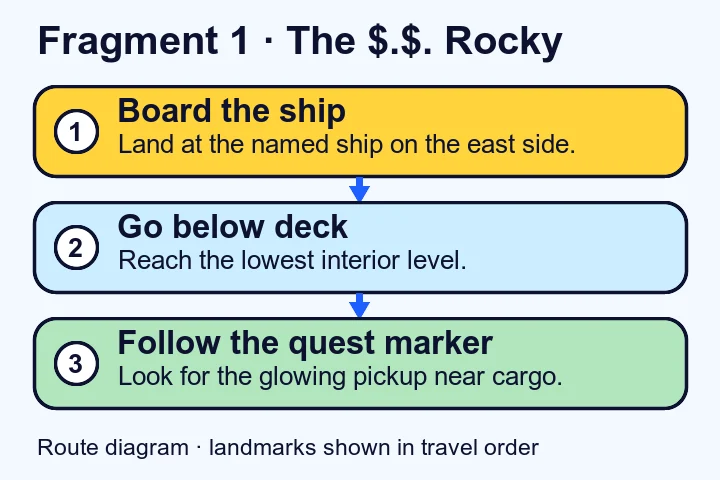
Fragment 1 gameplay screenshots · Watch the walkthrough· Route source
Fragment 2
LocatedFortune’s Fort · Land on the southeast side of the Stronghold. Look for the one-door shack just north of the small tower.
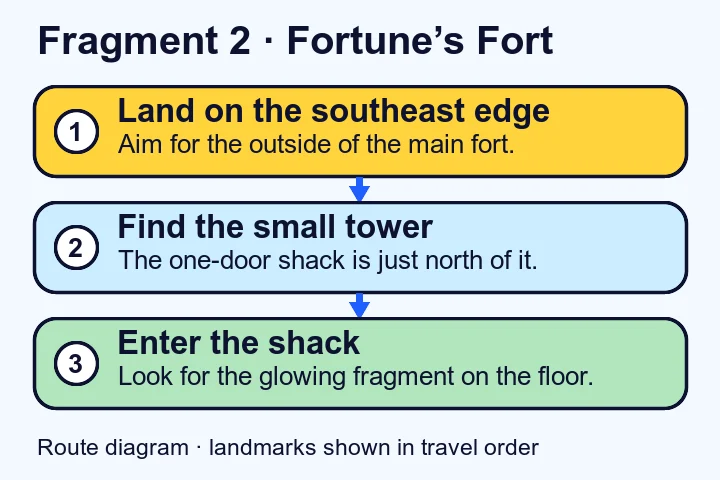
Fragment 2 gameplay screenshots · Watch the walkthrough· Route source
Fragment 3
LocatedFriendship Villa · Find the Crusty Cod, cross to the building opposite, and look in the grass under the tree at its base. Hold interact on the glowing scroll.
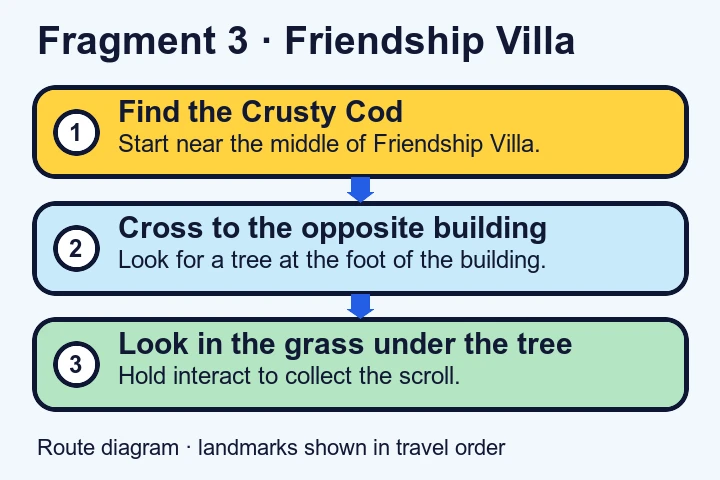
Fragment 4
Being checkedFragment 5
Being checkedFragment 6
Being checked
Verified locations on Crossbones Isle
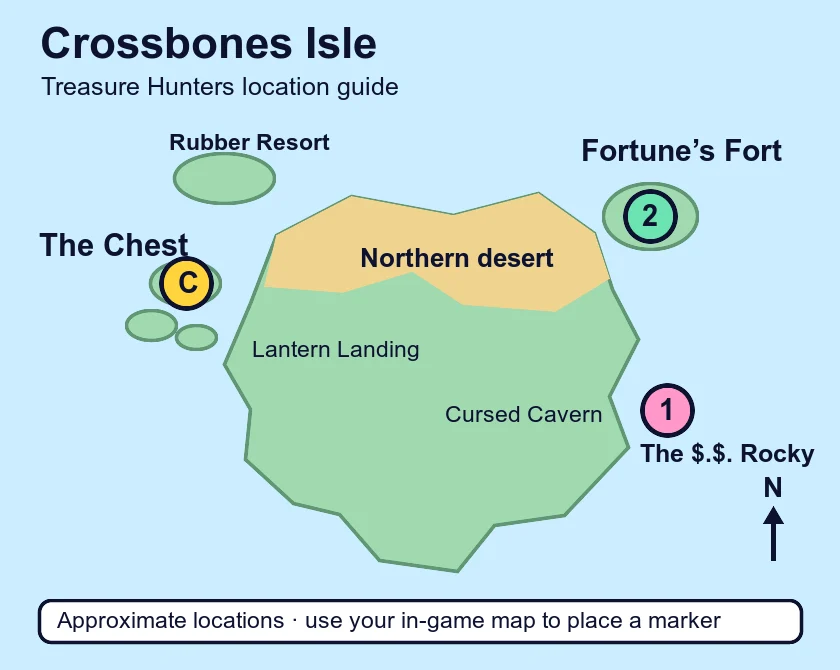
For the northwest pickup, see the Friendship Villa route above.
Recognize The $.$. Rocky
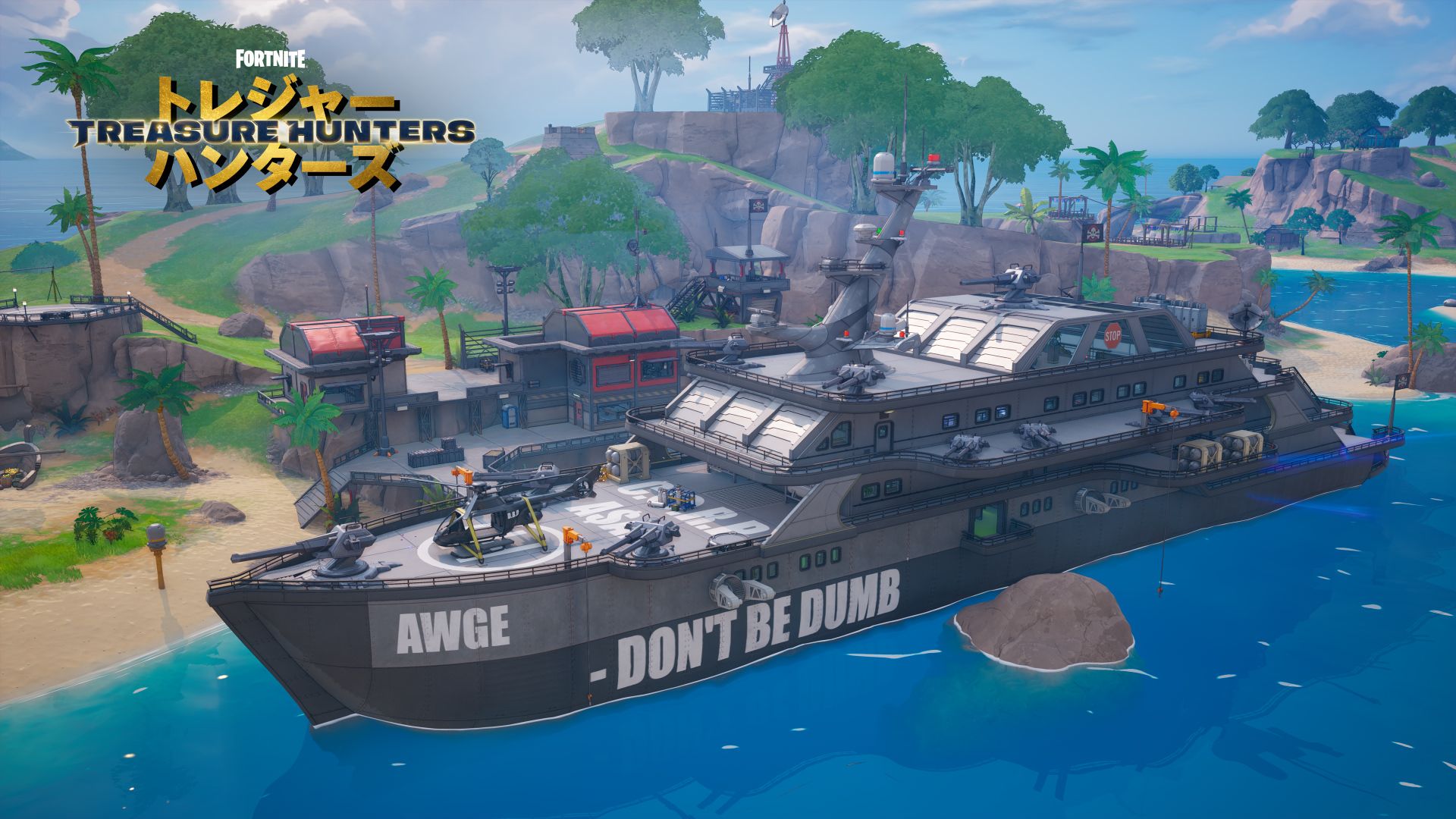
Follow the two verified map fragment routes
On the battleship
Find The $.$. Rocky by its name on the current island map. Use the ship exterior to confirm that you have reached the battleship, then follow the route diagram to the bottom interior deck. Watch for the quest marker once you are below the top deck. The gameplay walkthrough can help you recognize the inside of the ship if the deck levels are hard to distinguish.
Written directions disagree on the bow and stern. Use the quest marker and the bottom deck as your two checks. If you can see the sea from the exterior and the marker is still below you, go inside and work downward. Check the pickup screenshot to compare the view at the spot.
At Fortune’s Fort
Start on the southeast side of the stronghold. Look for the small tower, then check the one-door shack immediately north of it. Enter the shack and look at the floor for the pickup. The screenshot guide shows the outside of the shack as well as the floor, so use the exterior image if you find several buildings near the marker.
On a phone, open the full-size island map in a separate tab and zoom in on the two named locations. The route diagrams show the next turn at each site. For another landing reference on the same map, see the Fortnite pirate chest location.
Map fragment checklist questions
What do the two progress numbers tell me?
The verified-route count is how many locations have directions on this page. The collected count is how many boxes you have ticked. Use the first to plan your next stop and the second as a record of what you picked up. For the game’s own quest progress, check Fortnite.
How do I move my checklist to a different device?
Write down which numbers are checked, then tick those same boxes on the other device. With storage available, a refresh in the current browser restores the checks. When storage is blocked, the selections work until the page closes or reloads.
Can I clear the boxes without changing my chest tally?
Choose Clear collected fragments to clear the checks. The manual chest tally keeps its own record. To correct a single collection entry, change that box and keep the others.
Where can I check the fragment reward?
Check the Treasure Hunt quest in Fortnite for the reward and objective. Fortnite.GG lists a fragment quest loading screen. The Treasure Chest rewards guide gives the random chest categories and the separate quest listing.