Home / Fortnite Pirate Chest Location
Fortnite Pirate Chest Location
Land at The Chest, the small island cluster south of Rubber Resort and west of Loot Lagoon.
Crossbones Isle
Reported closed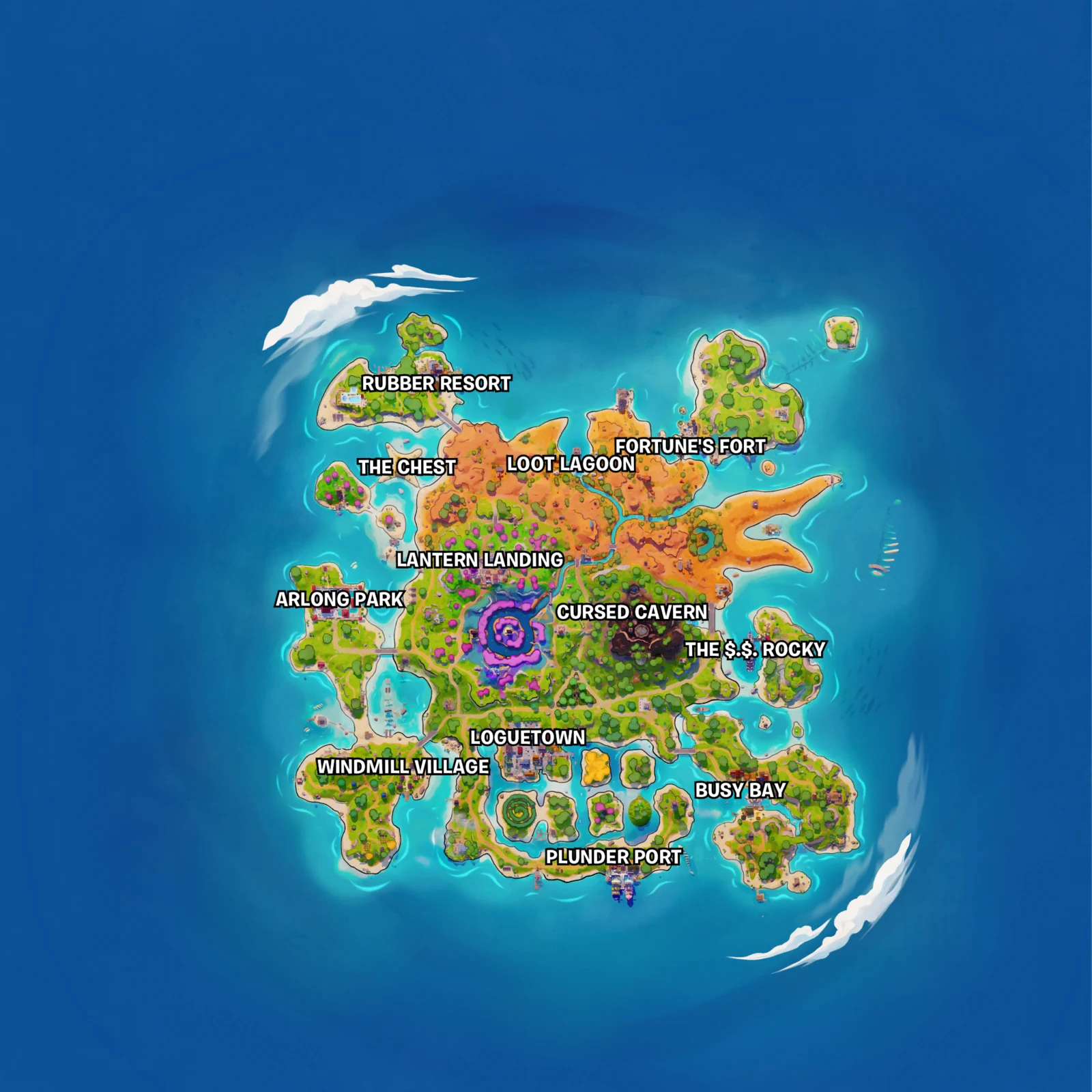
LootPrism reported the giant chest closed before v43.10. Its status after the update is still unverified.
Sunken Shores appears in the earlier teaser. The location above is for the Treasure Hunters season.
Recognize the giant chest
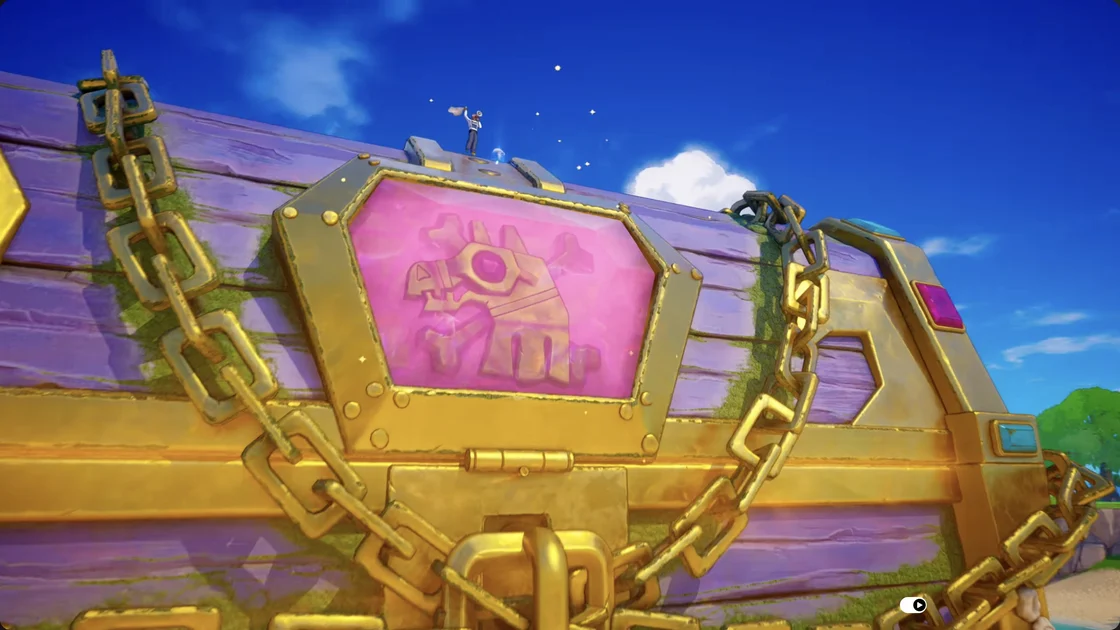
Watch the official close-up· Watch the landing route
Nearby buried chests
Open the Buried layer on the LootPrism chest map to find the small mounds. Use your pickaxe to dig.
Epic’s v43.10 update fixed a bug affecting the final pickaxe hit on smaller buried chests.
Land at Fortnite’s pirate chest
Open the Battle Royale map before you leave the Battle Bus. Find Rubber Resort in the northwest, then scan south toward the offshore islands. The island label you want is The Chest. Loot Lagoon sits to its east, so if you reach Loot Lagoon on the map, move your marker back west. Crossbones Isle location guide
- Place your waypoint on the labeled cluster. Check the waypoint while still on the bus so it is easy to follow when you jump.
- Glide toward the cluster and use the map to keep the waypoint in view. The route clip shows the area on approach and the map label during play.
- Look for the gold chains, purple panels and pink lock shown in the official close-up. If you land beside a mound first, use the waypoint and the giant chest’s silhouette to orient yourself.
Crossbones Isle is the whole Battle Royale island in this season. Use The Chest when comparing a video’s location or marking a landing with your squad. An earlier image labeled Sunken Shores shows the chest from a prior teaser, so look for the current Crossbones Isle labels when following directions.
Which screen should I use when the map is small?
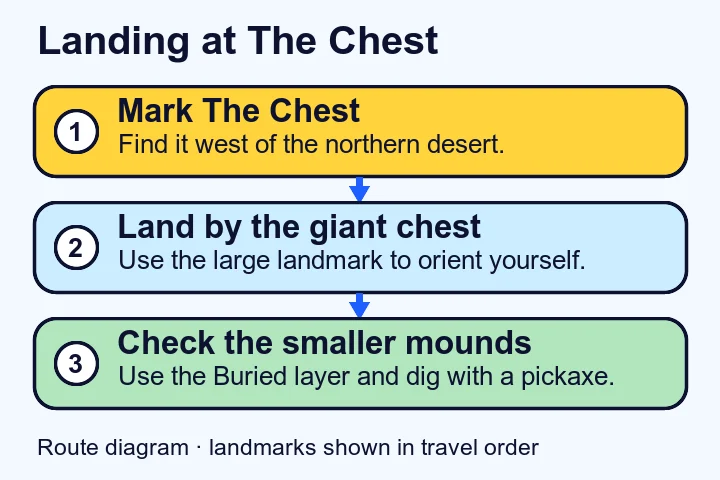
Open the full-size map above and zoom in on the northwest island cluster. Use the names around the cluster first. Then compare the chest’s colors and shape with the official close-up. The landing diagram summarizes the steps from marking the island to searching the ground.
Check nearby buried treasure
Use the Buried layer to plan a search around the waypoint. The dots on the chest map identify places to look for a smaller mound. Check the ground near a mapped point before moving to another one. This keeps the landing landmark and the individual dig spots useful for different parts of the route.
When you find a mound, use your pickaxe to dig. The buried chest photo linked above shows the size of the chest that comes out. Epic’s November 12 update describes a fix for the last hit on this type of chest. If you are following an older video that tells you to move or crouch for the final hit, compare its patch version before copying the workaround.
Does the Exotic chest teaser refer to this landmark?
Epic teased a chest holding Exotic weapons in its v43.10 notes and left it unnamed. Use the landmark for navigation and the Buried layer to plan digs until the giant chest’s current status can be checked.
To record what you open during the run, use the manual chest tracker and start from the count you want to measure. If you are moving to another part of the island for a quest, the map fragment routes show the battleship and the shack near Fortune’s Fort.